Special Topics Module 2

Research & Activity Documentation

Andrew Geevarghese, Sang Yoon, Gladdens Lau

Project 2


Module 2

In Project 2, our focus will be on further developing assets, refining our individual sections, and deepening our research to ensure the quality and coherence of our work. Each team member will work towards becoming proficient in their assigned tasks, honing the skills to contribute effectively to the larger project. By the end of this phase, we aim to test and integrate all the components we've developed into Unreal Engine, setting a foundation for execution in Project 3. This will ensure that we are ready for full integration in the final stage.


Action Research Cycle Sang — Character Models
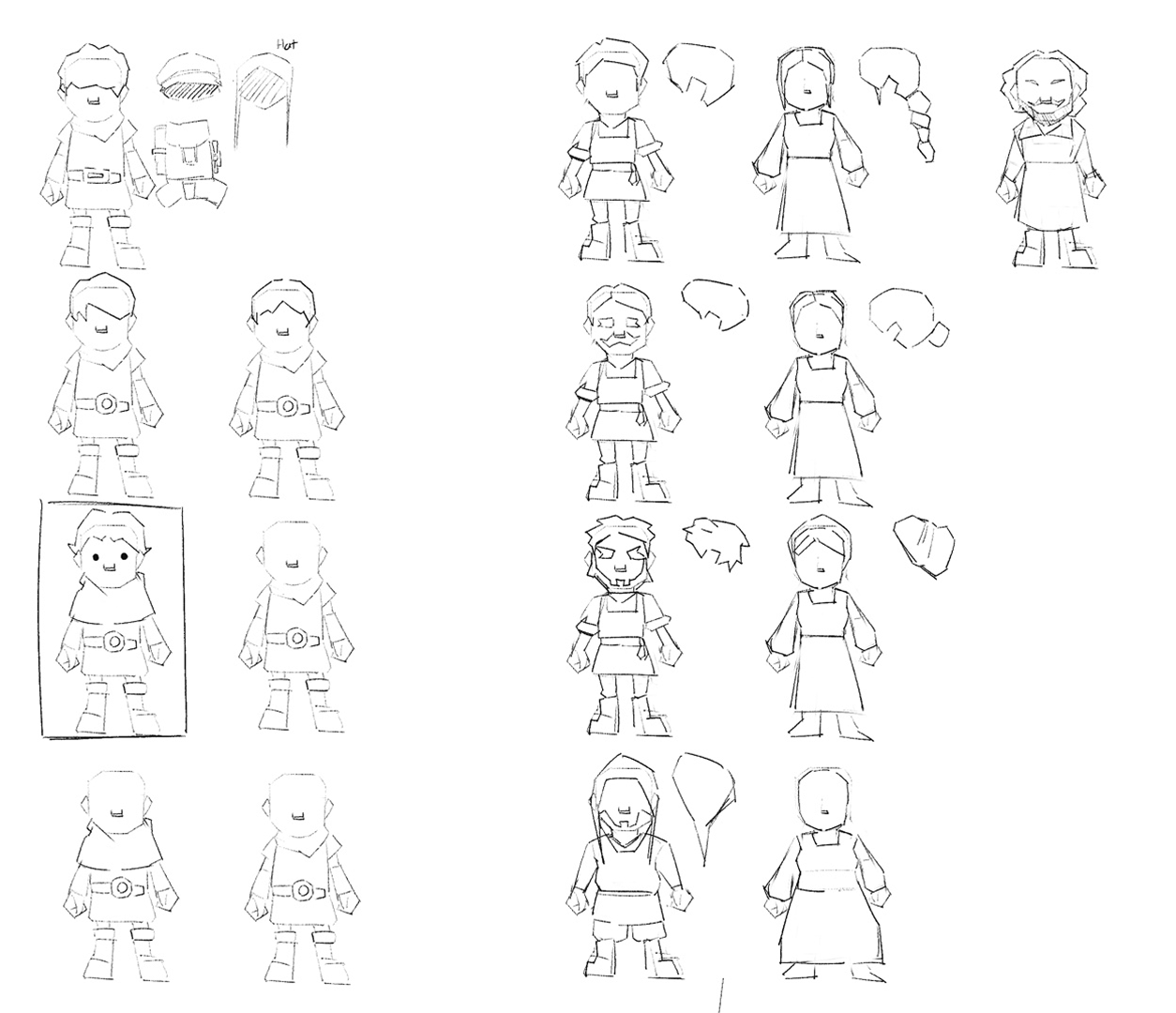
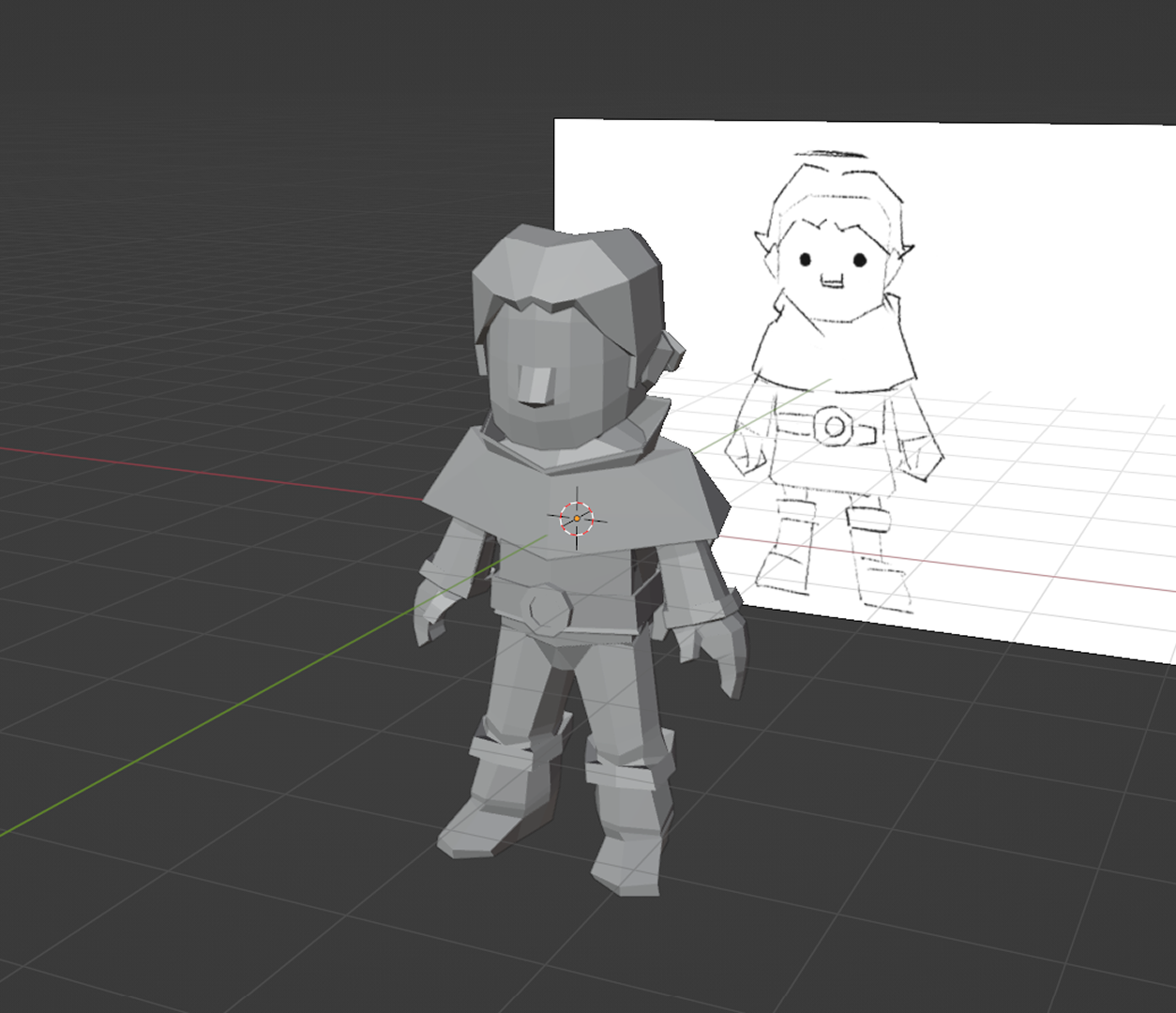
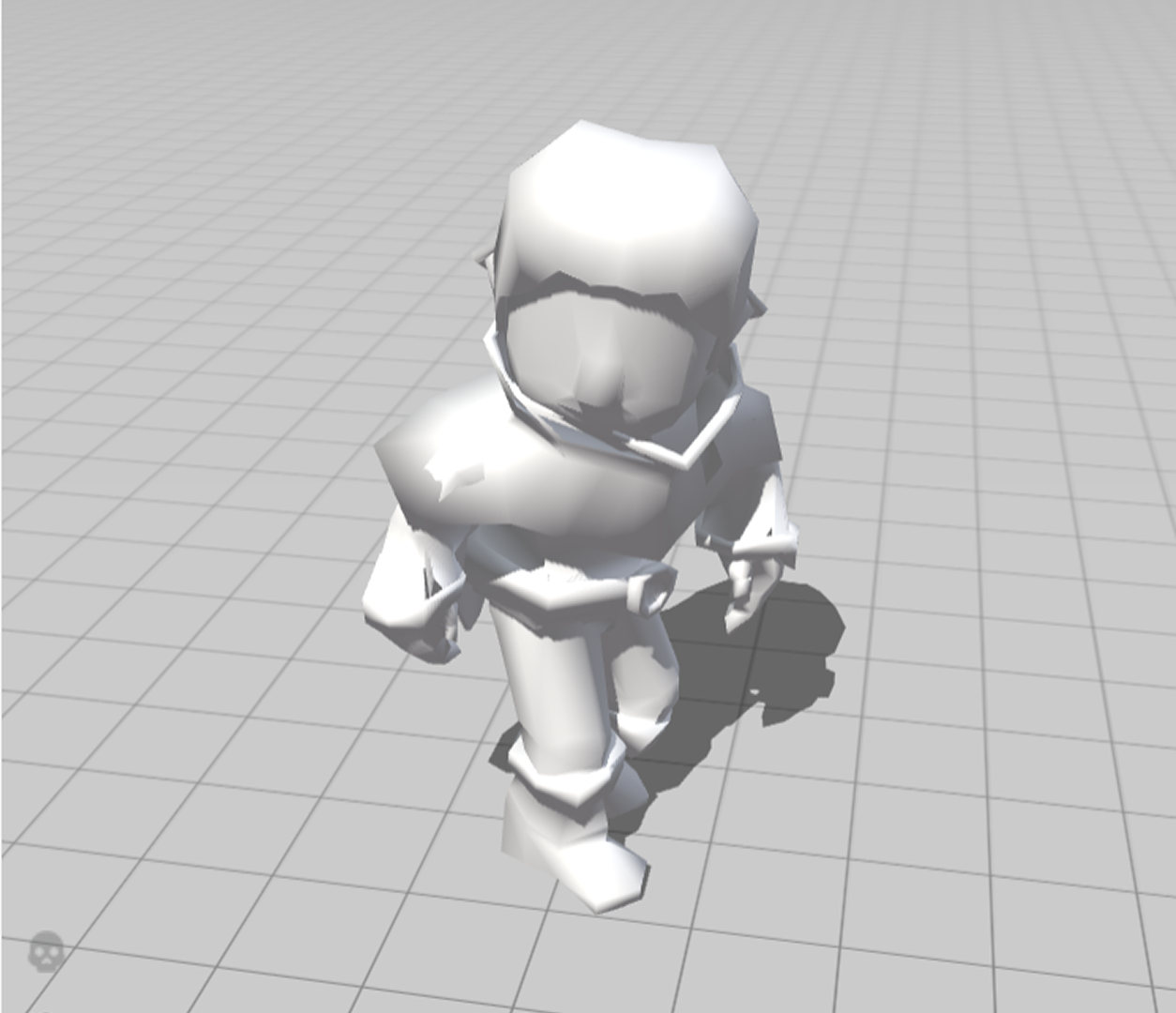
Based on the reference, I went into Procreate and started sketching out simple designs for the player character and the npc that the user will be interacting with. Basing the design off of the reference helped to get a solid idea of how the characters will look in-game. HMI... Create a playeable character that has a unique design, follows the aesthetic of the game direction?<br>
      <br>
      Plan: Referring to the character sketch and reference applying the design, keeping consistency of the low poly count and make it as similar as possible to the sketch.<br>
      <br>
      Act:<br>
      Shaping the hair, clothing design similar to the sketch. <br>
      Adding details that enhance the design.<br>
      Using extrude, Knife, Loop tools to keep the consistency of low poly design.<br>
      <br>
      Reflect: Check the joints of the model whether it is applicable later on when applying rig to animate the character.<br>
      <br>
      Observe: Finding a better way of structuring the model’s tapology for smooth movements when doing rig-animation.<br>
      <br>
      Tutorials:
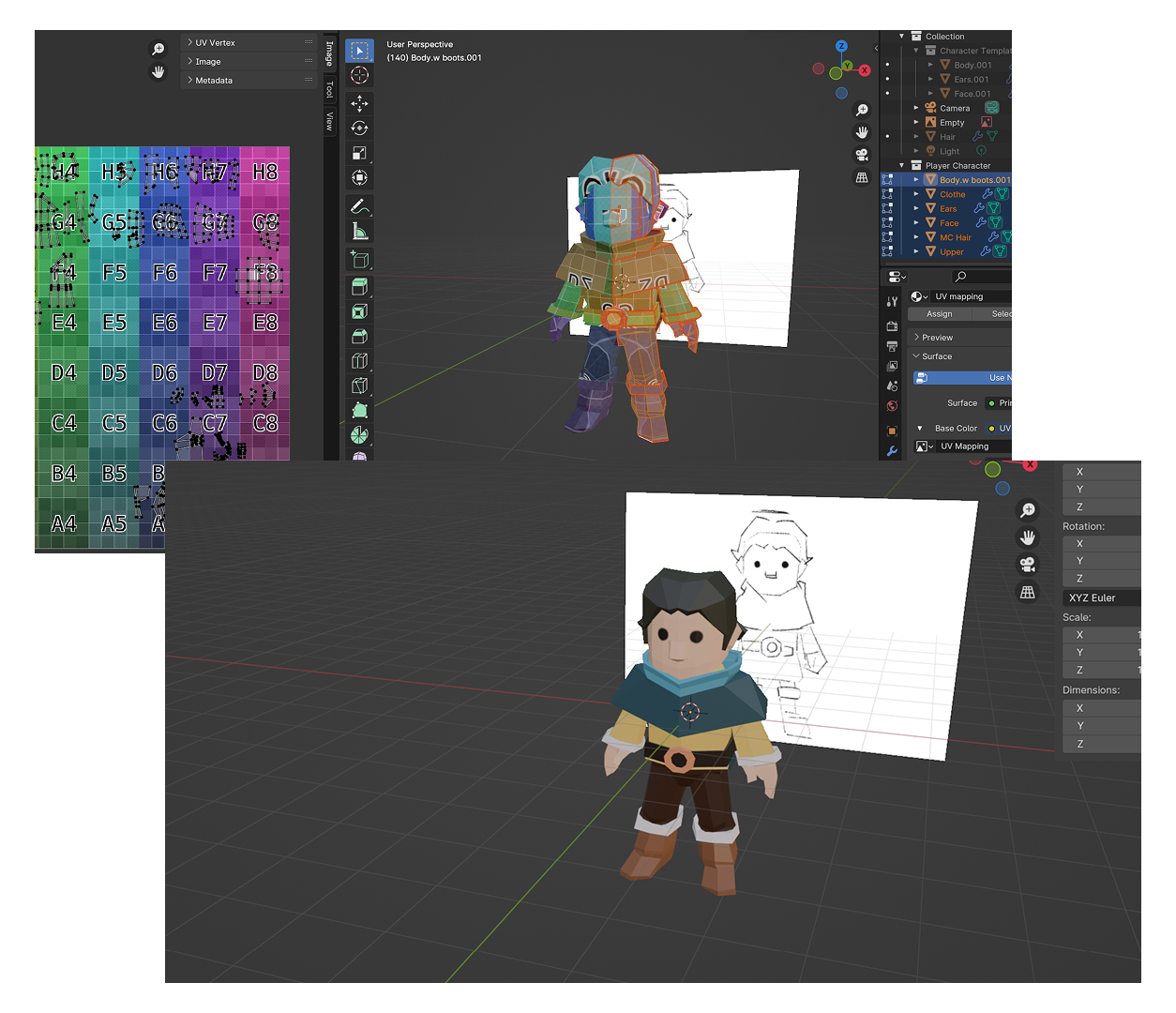
      <a href='https://youtu.be/-XYryP_GU8o?si=5swdCllji786lkzq' target='_blank'><p>Tutorial Video</p></a> HMI... Divide the UV Map into a clean unwrap that can be easily textured at the texturing step, and texture the model with a good balance of color, enhancing its appearance?<br>
      <br>
      Plan: Referring to the tutorial from Project 1, indicating lines where sections need to be divided, unwrapping based on that, and applying texture and color to find the right balance.<br>
      <br>
      Act: Using Blender's UV wrapping indicator to divide sections that need different colors, breaking down sections for easy texturing. Using Blender's UV color map to indicate the unwrap, saving time. In texture painting, using the mask tool to speed up the process, and setting up a complementary color palette for a balanced design.<br>
      <br>
      Observe: Finding ways to divide the UV unwrapping without creating multiple unwraps that complicate the texturing process. Keeping the texture simple to maintain consistency within the overall game concept. HMI: Find an efficient way to rig a character without taking too much time of the project time-scope?<br>
      <br>
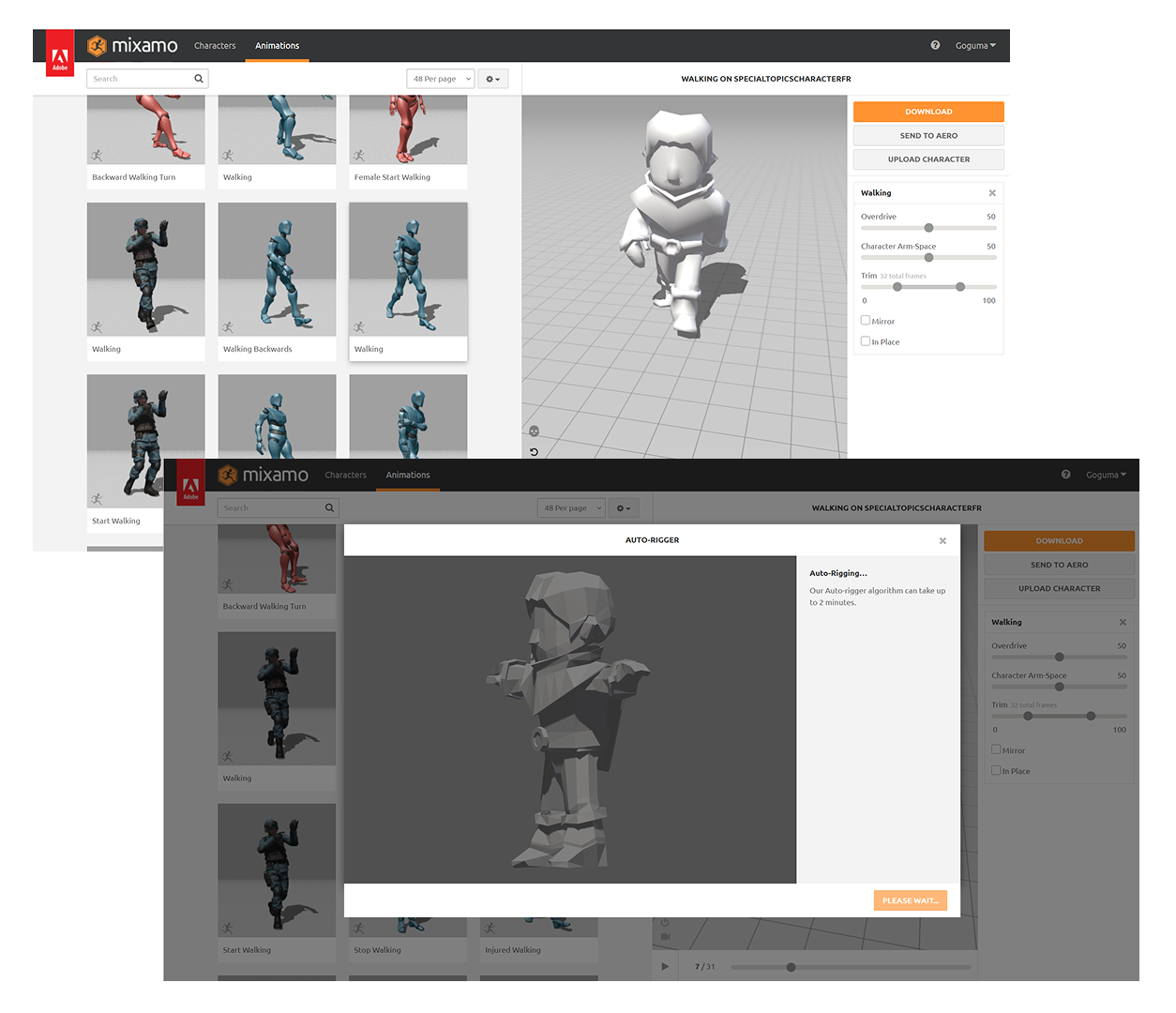
      Plan: Using a recommended rigging platform by the professor called “mixamo” importing model, exporting rigs easily.<br>
      <br>
      Action:<br>
      importing fbx model into the website, adding basic bone structure for the rig skeletol structure.
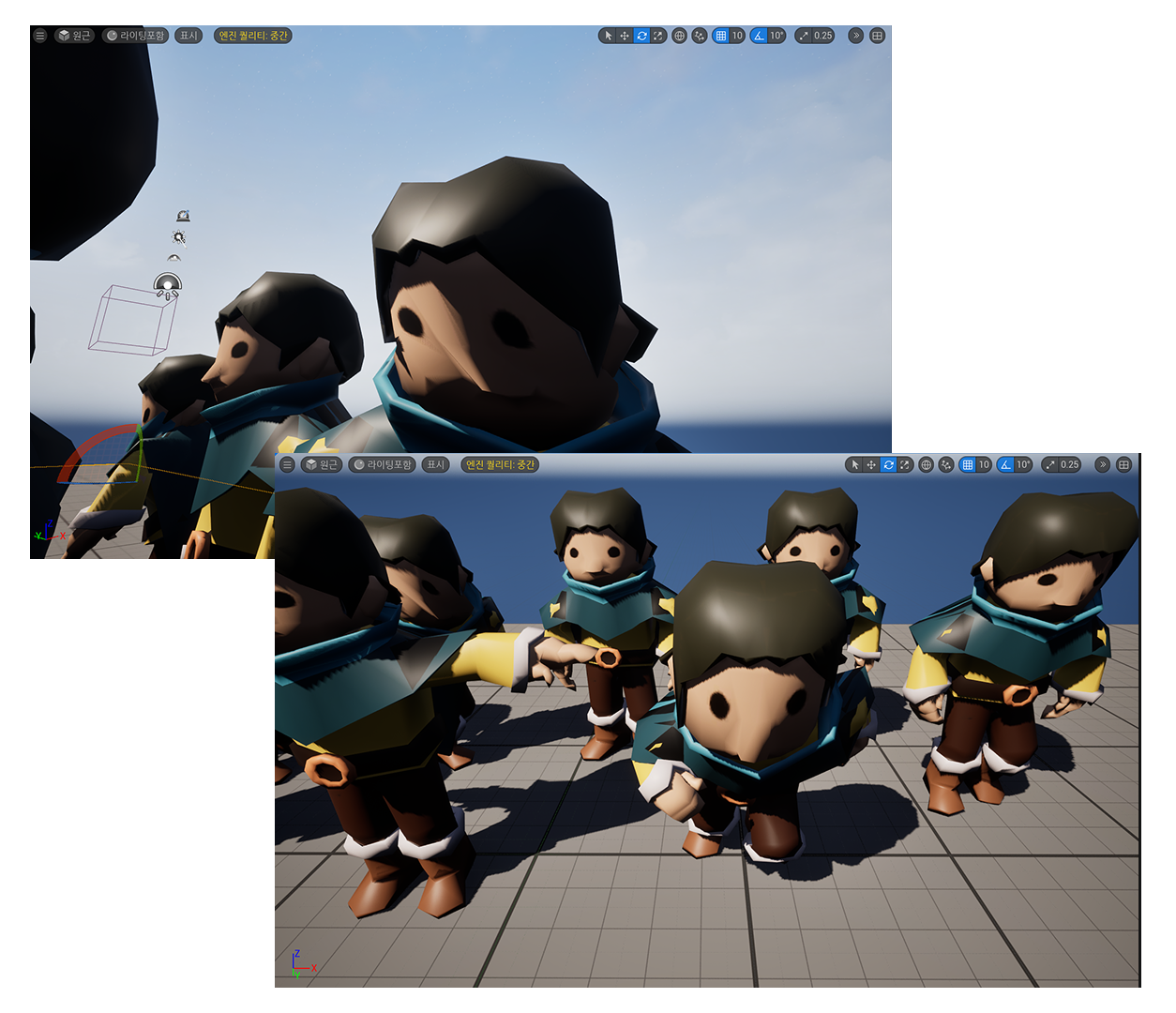
      Searching the right rig-motion that aligns with the game-aesthetic and feeling. Importing the models into Unreal Engine was not a difficu;t, as I've experienced the trouble shoot when importing the blender model into Unreal Engine. 
      However, the rig has made the texture distort in a way that caused issues in look of the design.<br>
      <br>
      <a href='https://www.youtube.com/watch?v=Z7FbGmNT4Wo' target='_blank'><p>Rig Video</p></a>
      In Project 2, I was able to build a proper model that could be used as the payeable character, as well as finding rig-animations for the model. However, there are still issues that need to be fixed, and more to be improved. <br>
      <br>
      For the upcoming project, I will:<br>
      Resolve the issue of the rig animation, and texture<br>
      Model NPC's and a ominous character for the horror aesthetic<br>
      Create assets and props that can enhance the atmosphere of the game<br>
      Resolve the issue of texturing

Action Research Cycle Gladdens — Map


      HMI... leverage the learnings from project one and iterate to improve and optimize the landscape structure?
      <br>
      <br>
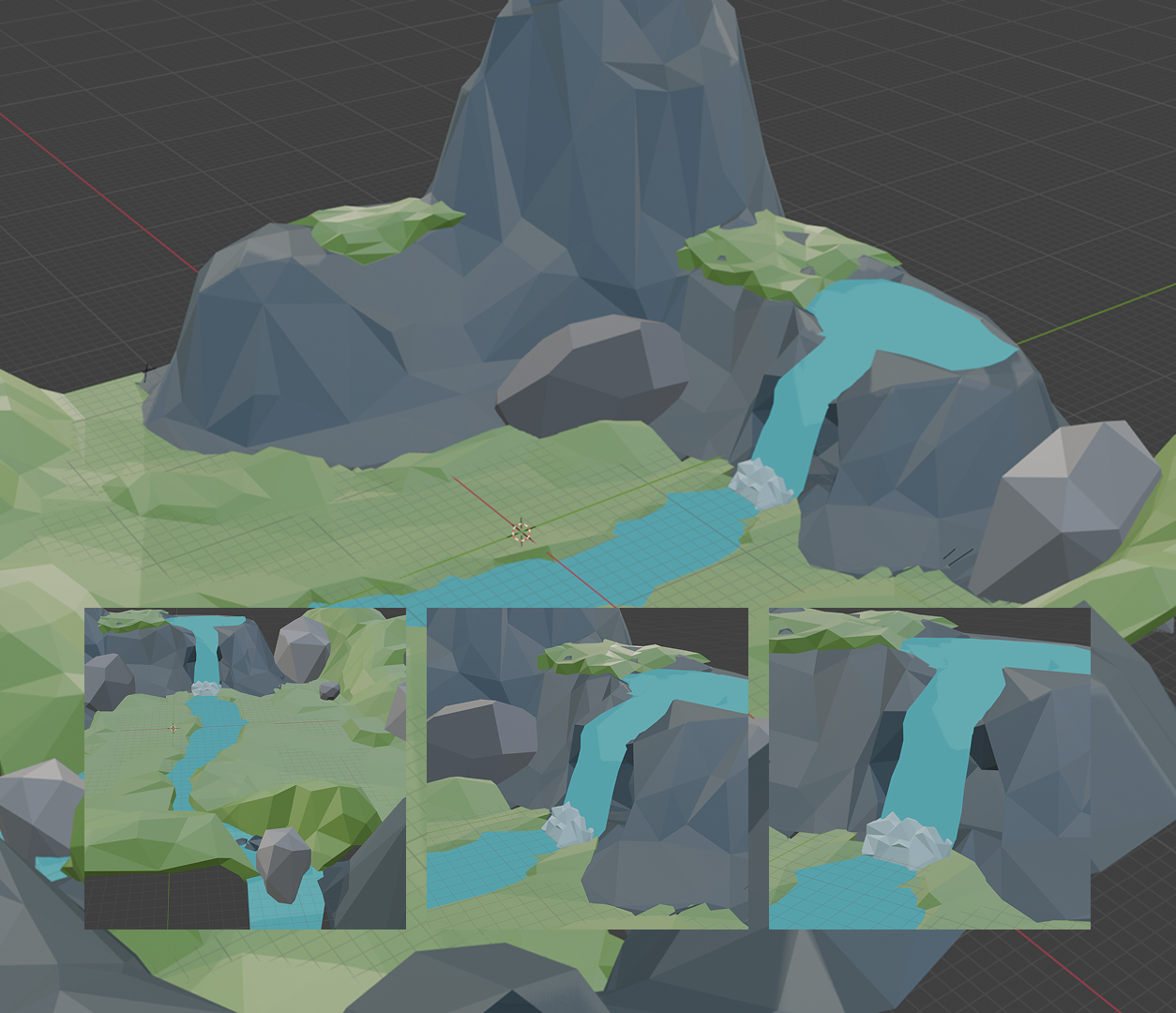
      Plan: Apply insights from Project One to refine the landscape while maintaining a low-poly aesthetic.<br>
      <br>   
      Act:<br>
      Improve plane structures and solidify terrain.<br>
      Add dynamic shapes for visual interest.<br>
      Design a small map to highlight key themes.<br>
      Include a cave behind the waterfall.<br>
      Establish boundaries to prevent players from leaving the map.<br>
      <br>
      Observe: Test visual cohesion with our mood boards and other elements.<br>
      <br>
      Reflect: I was able to refine the landscape by adjusting decimation levels under modifiers for better aesthetics.<br>
      <br>
      Tutorials: <br>
      <a href='https://www.youtube.com/watch?v=H6JCb4OSrh8' target='_blank'><p>Tutorial Video 1</p></a>
      <a href='https://www.youtube.com/watch?v=Os3SYeD6R3k' target='_blank'><p>Tutorial Video 2</p></a>
      HMI... make an interesting water source which flows organically into the landscape?<br>
      <br>
      Plan: Create a believable, organic water source that integrates naturally into the landscape.<br>
      <br>
      Act:<br>
      Shape the water flow to feel organic and rocky.<br>
      Add bubbling effects where water hits the bottom.<br>
      Ensure water flows seamlessly to the map’s edge.<br>
      Keep the design simple yet visually effective.<br>
      Explore animation possibilities, though complexity may be a challenge.<br>
      <br>
      Observe: Assess fluidity, and integration with the environment.<br>
      <br>
      Reflect: Determine if animation is feasible and refine elements around the water for a more natural and cohesive landscape. HMI... incorporate decorations and trees to add interest into the scene while maintaining the visual style of the scene?<br>
      <br>
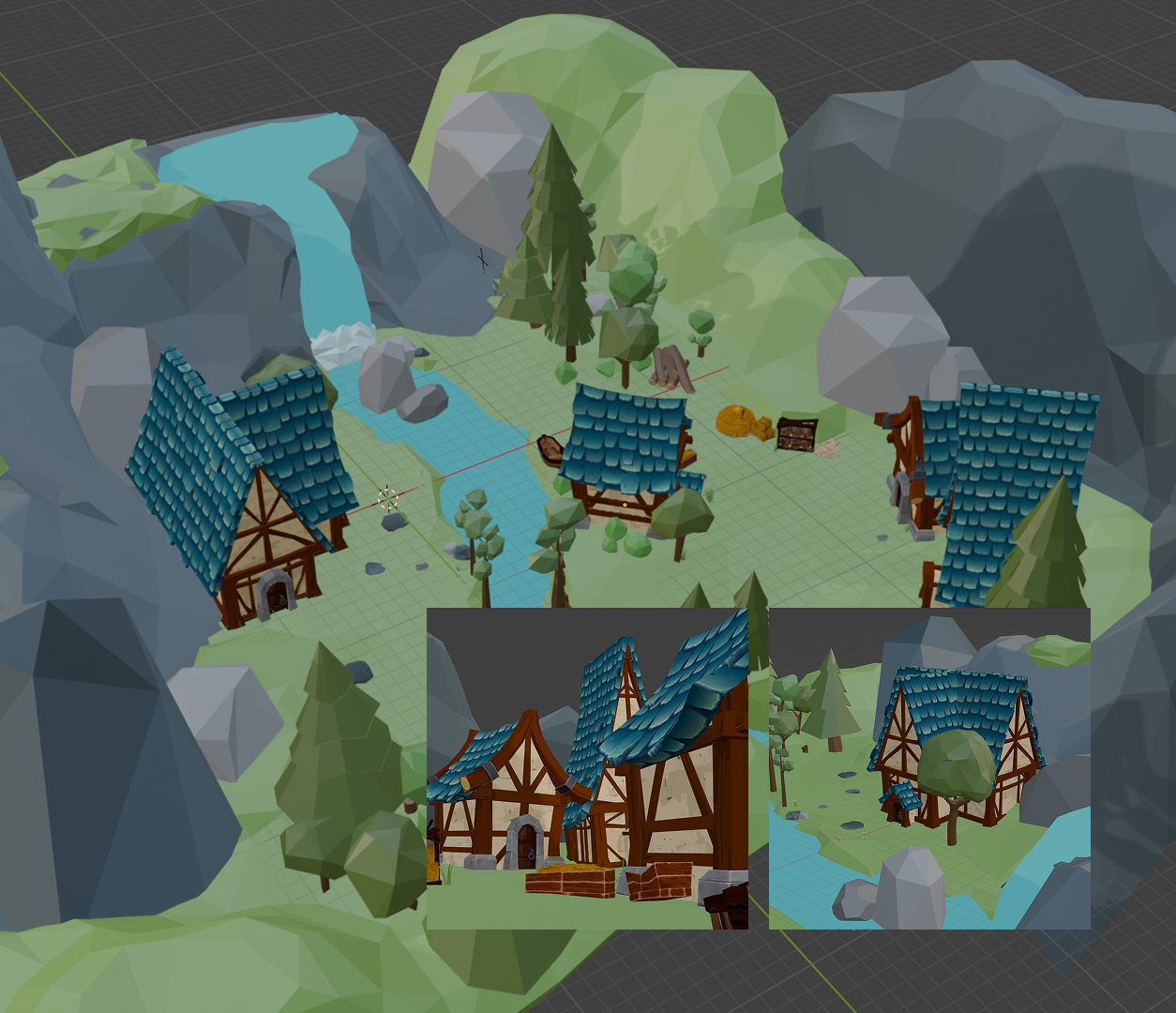
      Plan: Use online assets to enhance the scene while ensuring they align with the visual style.<br>
      <br>
      Act:<br>
      Research and select assets that match the design.<br>
      Learn how to integrate and modify assets effectively.<br>
      Apply textures from online sources.<br>
      Ensure proper placement for a natural integration into the environment.<br>
      <br>
      Observe: Evaluate how well the assets blend with the environment.<br>
      <br>
      Reflect: Make adjust textures and placement as needed thought-out the process for better overall aesthetic.<br>
      <br>
      Assets: <br>
      <a href='https://www.fab.com/listings/dbc49f41-e739-40c4-a09c-3587d30180de' target='_blank'><p>Epic Games Fab - JustCreate</p></a>
      <a href='https://www.fab.com/listings/d2c038a0-302b-4197-b22b-b6a1b21a703b' target='_blank'><p> Epic Games Fab - Augusto Micheli Debard</p></a> HMI: How might I ensure the Blender file is fully prepared to rule it out as the source of Unreal import issues?<br>
      <br>
      Plan:<br>
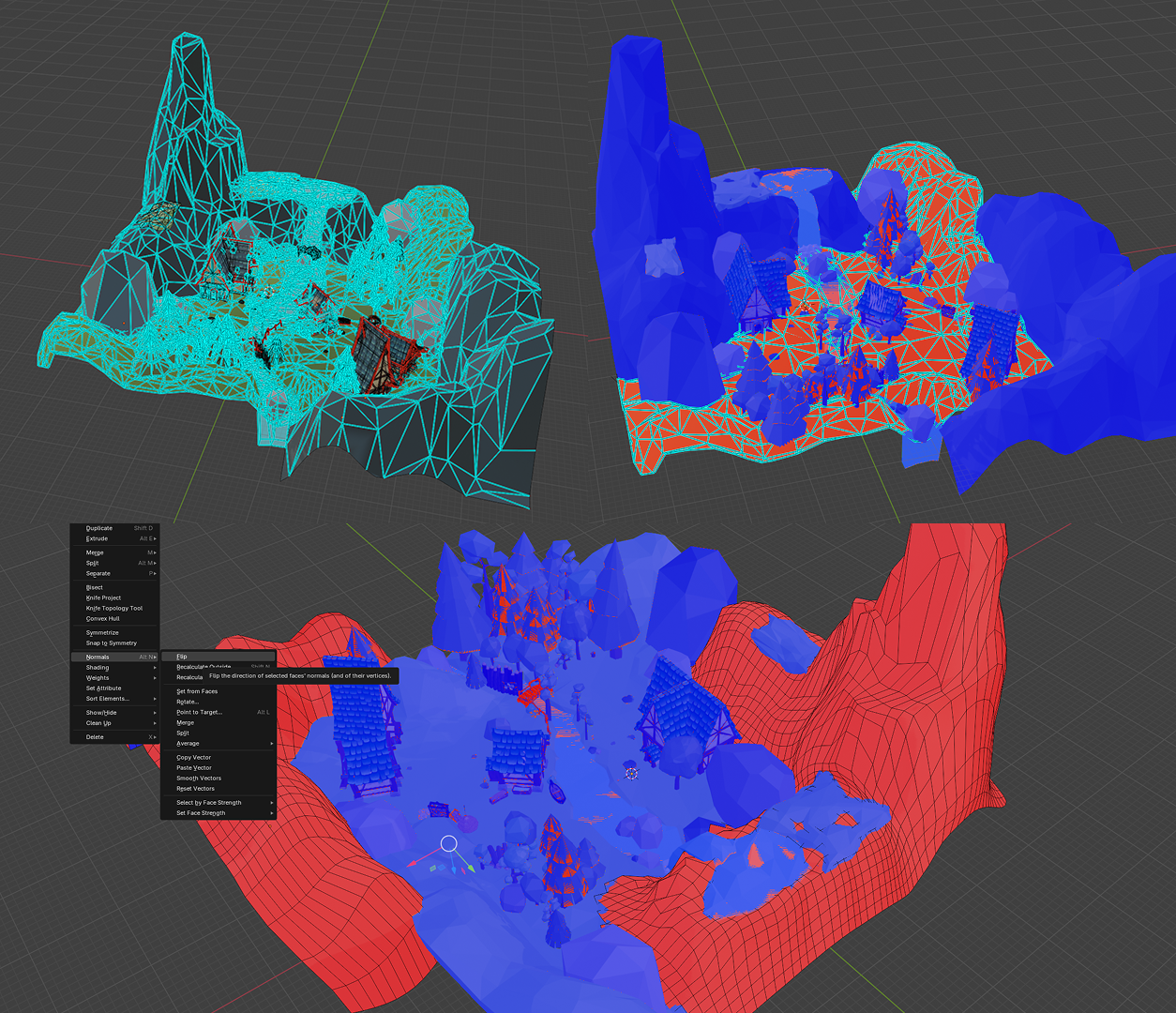
      Re-export the Blender file with adjustments to ensure proper geometry and settings.<br>
      Test the file repeatedly between Blender and Unreal to isolate the source of the problem.<br>
      <br>
      Act:<br>
      Applied all Blender modifiers to finalize the model.<br>
      Sharpened edges to preserve the low-poly aesthetic.<br>
      Flipped faces to ensure they were forward-facing.<br>
      Re-exported the FBX file and imported it into Unreal for testing.<br>
      <br>
      Observe:<br>
      Multiple back-and-forth checks between Blender and Unreal to identify whether the issue persisted.<br>
      Confirmed that the Blender file was not the primary cause of the import problems.<br>
      <br>
      Reflect:<br>
      Learned that careful model preparation in Blender is essential, but Unreal’s import settings can still introduce unexpected issues.<br>
      Strengthened my understanding of how export adjustments impact the final result in Unreal. HMI: How might I troubleshoot the Blender-to-Unreal import process to identify and resolve file integration issues?<br>
      <br>
      Plan: <br>
      Export an FBX file from Blender and import it into Unreal to test the integration. <br>
      Identify potential causes of the import issues and seek assistance from my brother, who has experience with both Blender and Unreal, to troubleshoot. <br>
      <br>
      Act: <br>
      Import the FBX file into Unreal, observing any visual or performance issues. <br>
      Start ruling out possible causes: <br>
      Blender models <br>
      Blender modifiers <br>
      Blender export settings <br>
      Unreal project settings <br>
      Unreal import settings <br>
      Contact my brother for guidance on resolving the issue. <br>
      <br>
      Observe: <br>
      Noticed problems despite modifying the Blender file. <br>
      Narrowed down the issue by testing different export settings and re-importing the file.<br>
      <br>
      Reflect: <br>
      Determined that the problem wasn’t with Blender but stemmed from Unreal’s import settings. <br>
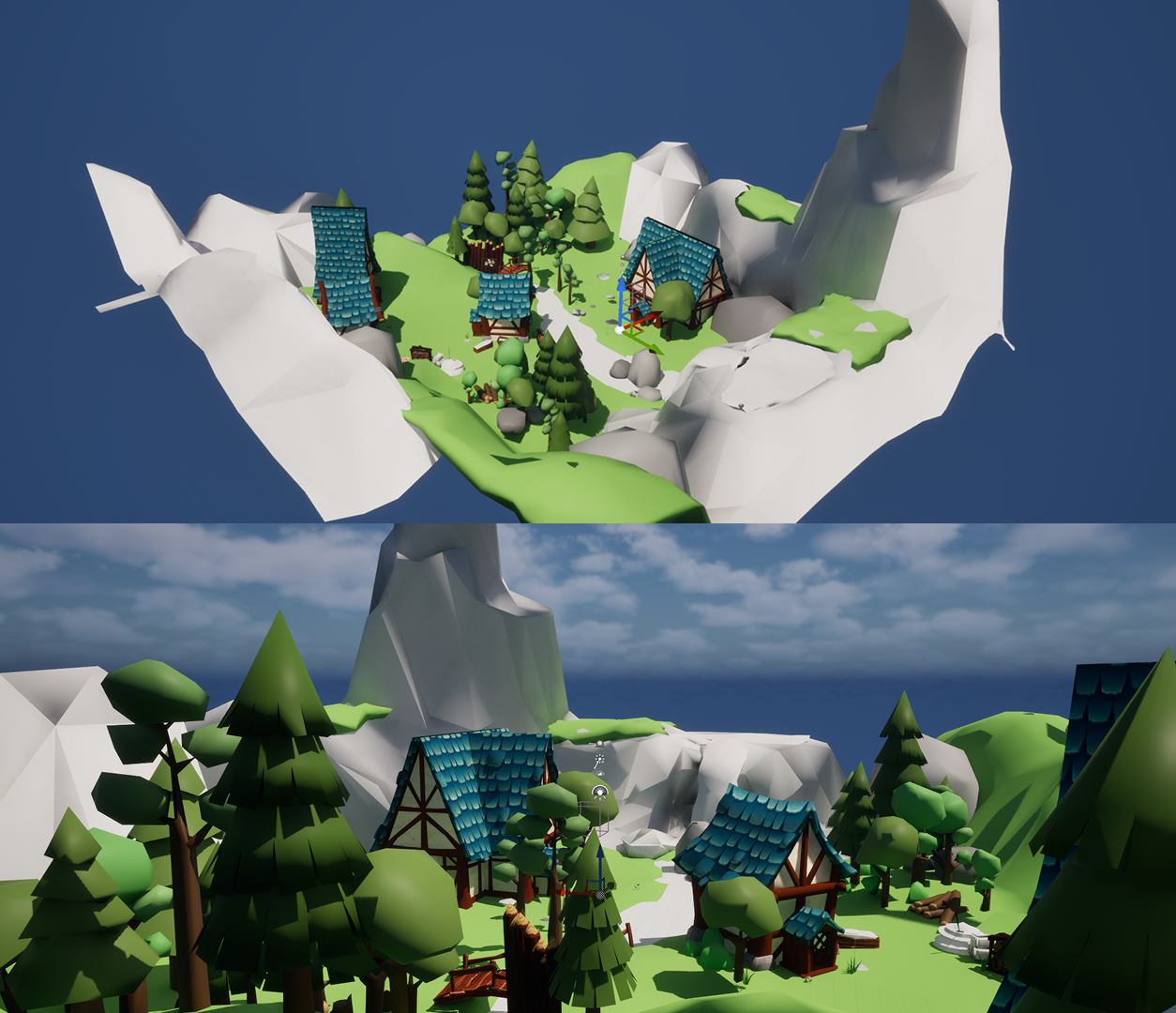
      Realized that external input and iterative testing are essential for troubleshooting complex import processes. <br> The final result of the import of the map into Unreal using the third person template provided by Unreal. In the next project, I will further refine parts to ensure it has no visual issues and begin exporting the files individually for better overall map quality. I will also begin testing lighting for the game.

Action Research Cycle Andrew — Interactions in Unreal
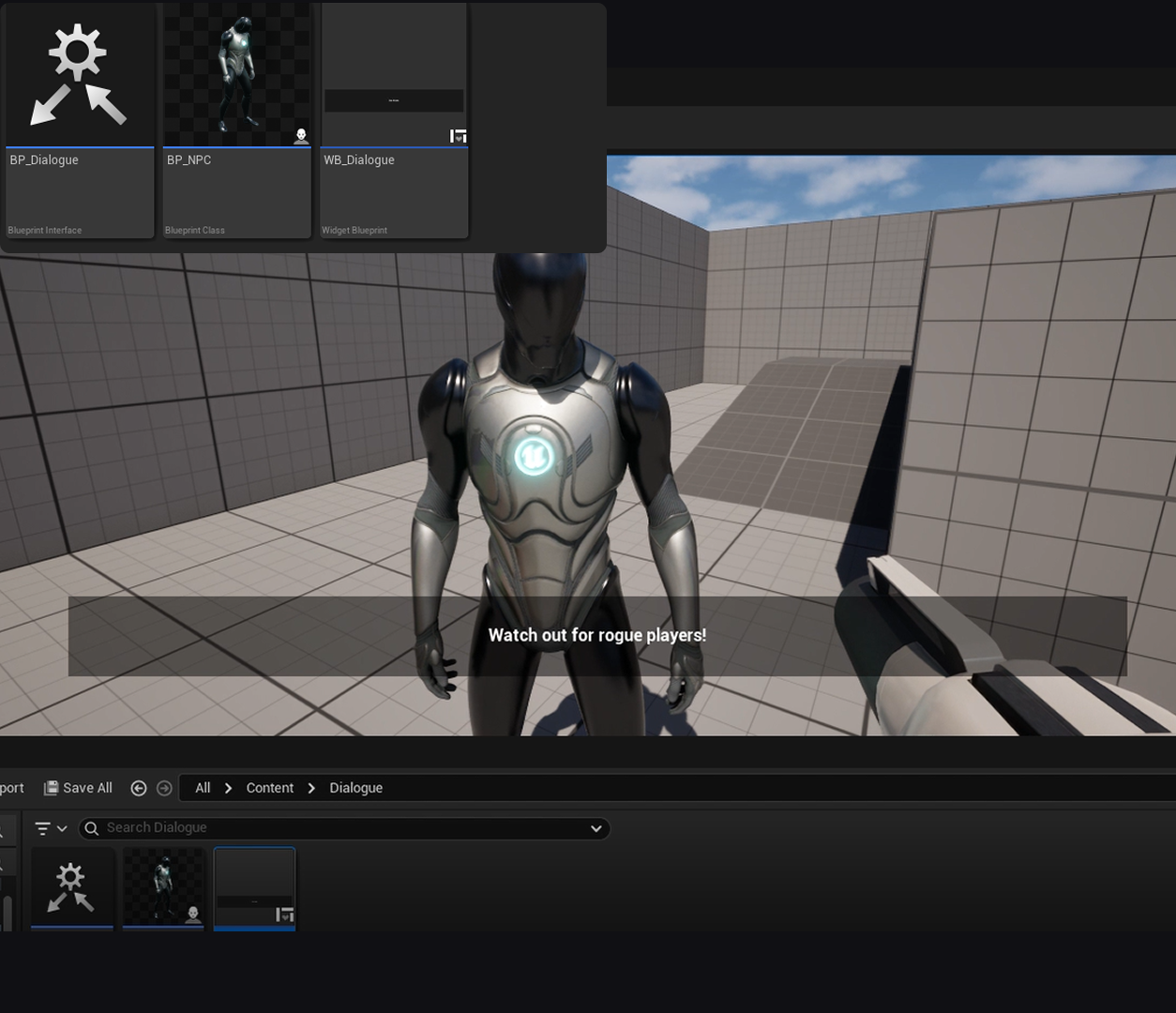
To be able to conduct some level of instructions and story-telling into our game, we need to focus on having dialogues with NPCs<br>
      <br>
      HMI... leverage tutorials to create user-triggered dialogue with NPCs in an open-world format<br>
      <br>
      Plan: Apply instructions from tutorials. shape it to match our game style<br>
      <br>
      Act:<br>
      Create base dialogue boxes<br>
      Create an array of messages that are cycled through by user input<br>
      Create a listener to pick up keyboard input (‘E’ key press)<br>
      Ensure listener only triggers the function near the relevant NPC.<br>
      Ensure the conversation ends with the last line and no further dialogue is triggered<br>
      <br>
      Observe: <br>
      I had trouble with the interface system at first as the text outputted was not displaying in the dialogue box<br>
      I managed to fix it by editing the anchor point for the widget which controls the size relative to the parent container<br>
      <br>
      Reflect: I was able to get the base dialogue system working with relative ease. The next steps for the dialogue system is:<br>
      To have a script of various instructions and interactions planned<br>
      Change the U.I of the dialogues to show greater clarity and match our game style (Wood texture, Press ‘E’ to continue, etc.)<br>
      <br>
      <a href='https://www.youtube.com/watch?v=hbs0xaNOeA0' target='_blank'><p>Tutorial Video</p></a> 
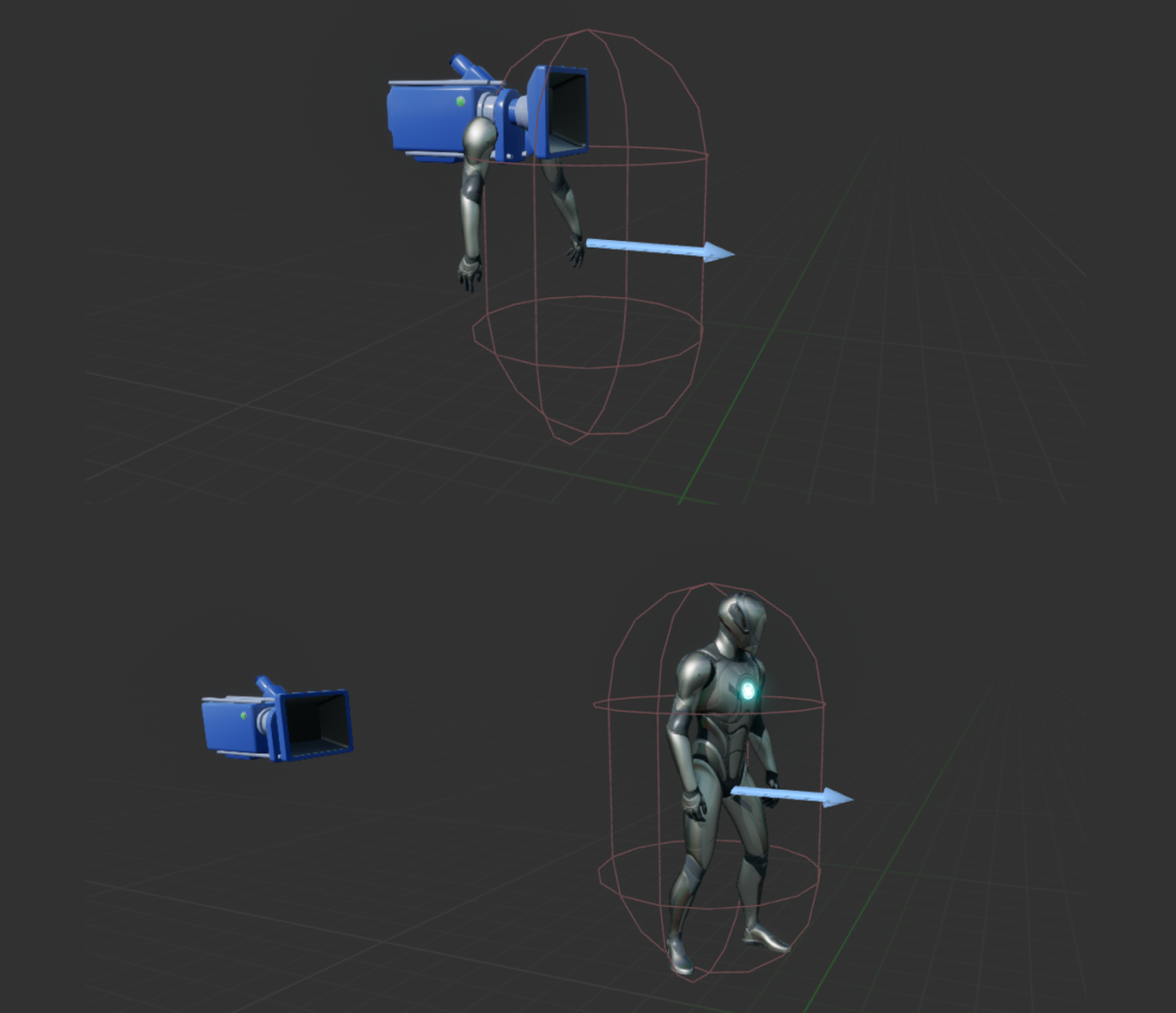
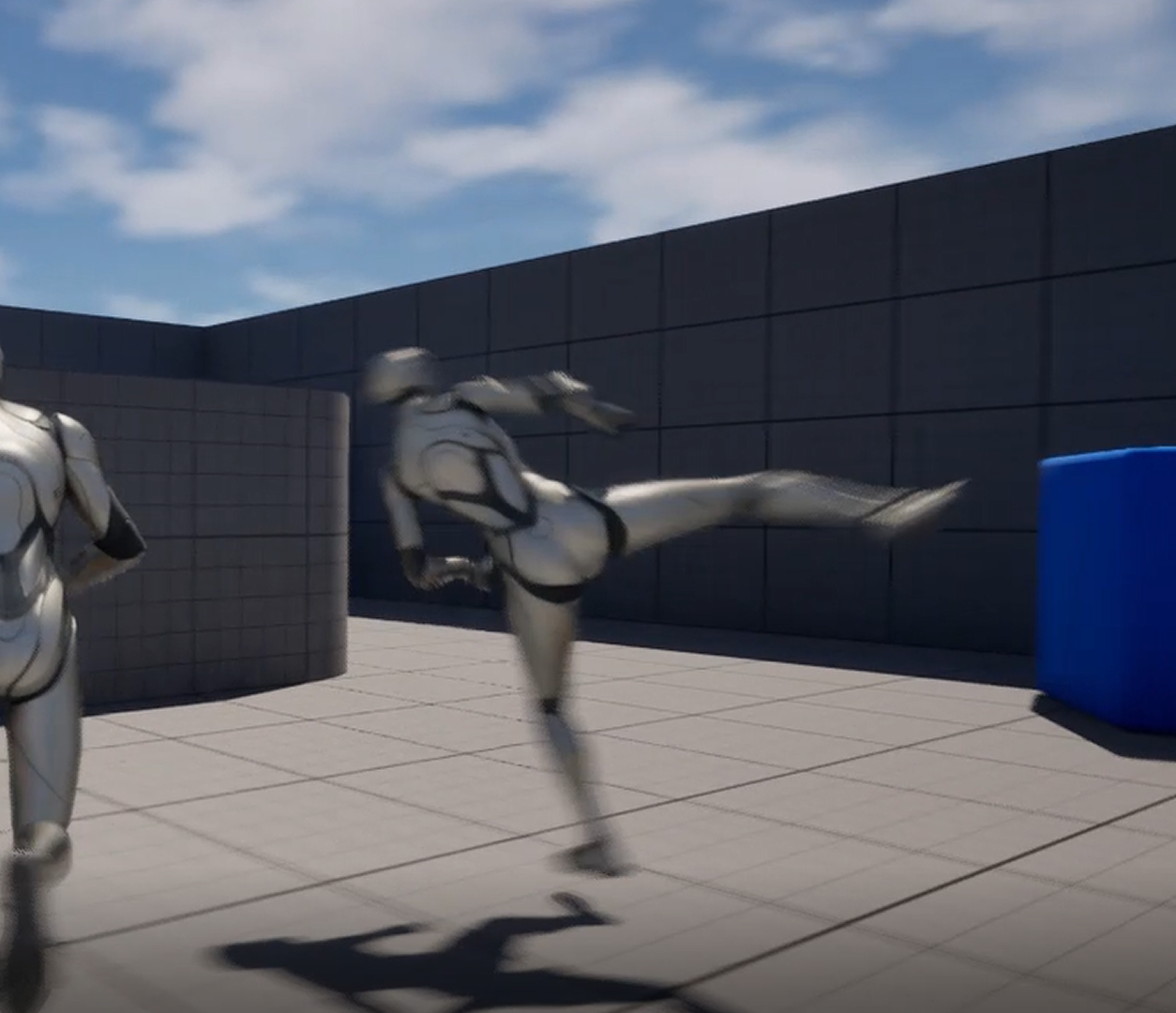
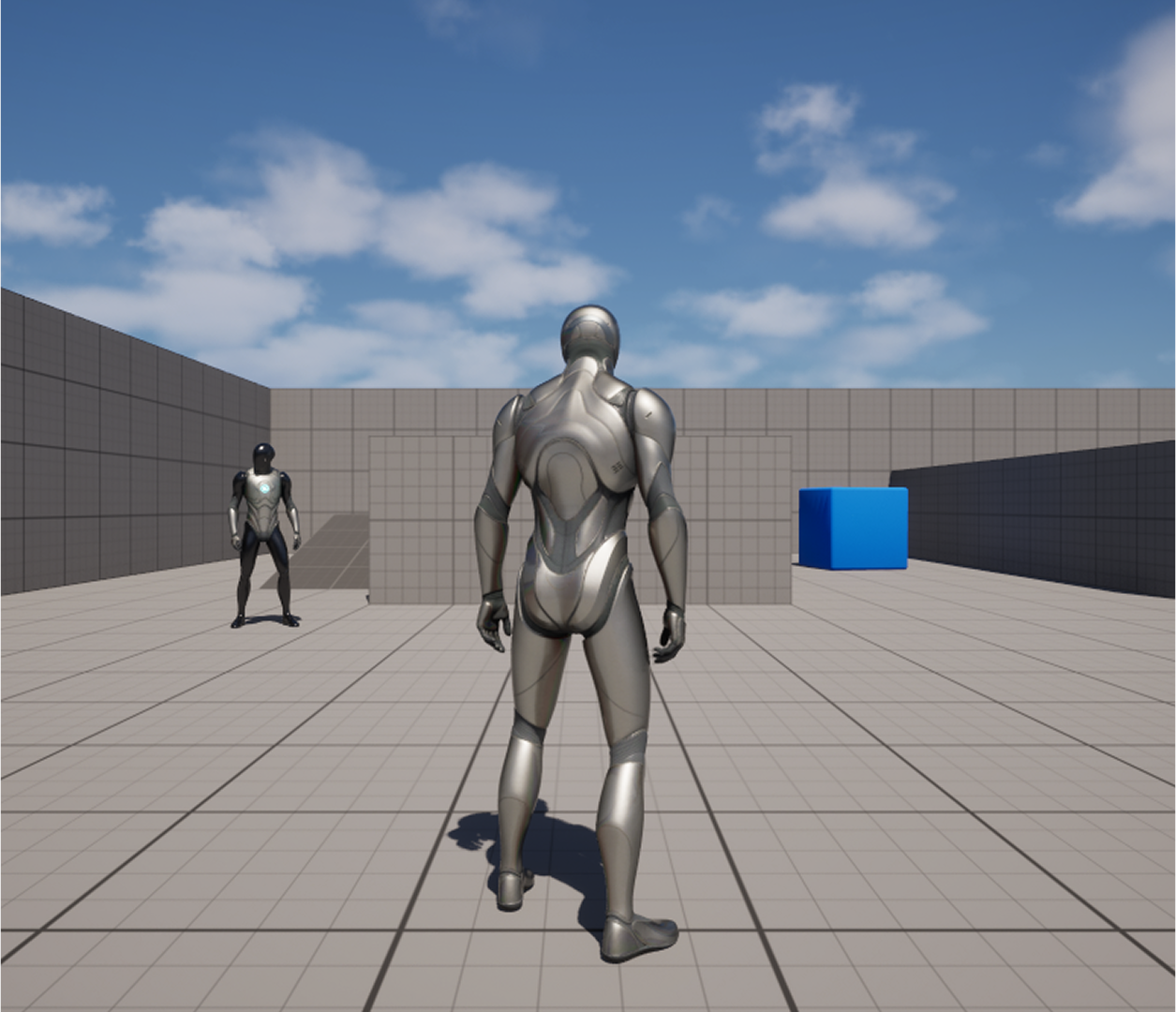
      <a href='https://youtu.be/1jPeRhCJIrk' target='_blank'><p>Narration Demo Video</p></a> As most of the tutorials I watched in Project 1 and 2 were in Third Person and we began the project testing out First Person views, I found that we had a lot of trouble converting some actions to fit our first person template. In addition, the combat animations I acquired from fab.com are more relevant to 3rd person, we decided to switch views.<br>
      <br>
      HMI... Adapt tutorial to convert the view from 1st person to 3rd person.<br>
      <br>
      Plan: Apply instructions from tutorials.<br>
      <br>
      Act:<br>
      Ensure camera is able to pick up enough of the player character and environment<br>
      Ensure camera and player are placed well relative to one another<br>
      Ensure camera movement is locked<br>
      <br>
      Observe: The move was a bit troublesome at first as the first person view is just a camera with arms next to them, so I had to change the mesh at first.<br>
      <br>
      Reflect: I was able to get the third person view to work, I need to further develop it by experimenting with the position and camera locks<br>
      <br>
      <a href='https://www.youtube.com/watch?v=lMuinhr0SXU' target='_blank'><p>Tutorial Video</p></a> As the system is beyond my knowledge of node programming and blueprints in UE 5.5, I faced a few challenges for the system:<br>
      <br>
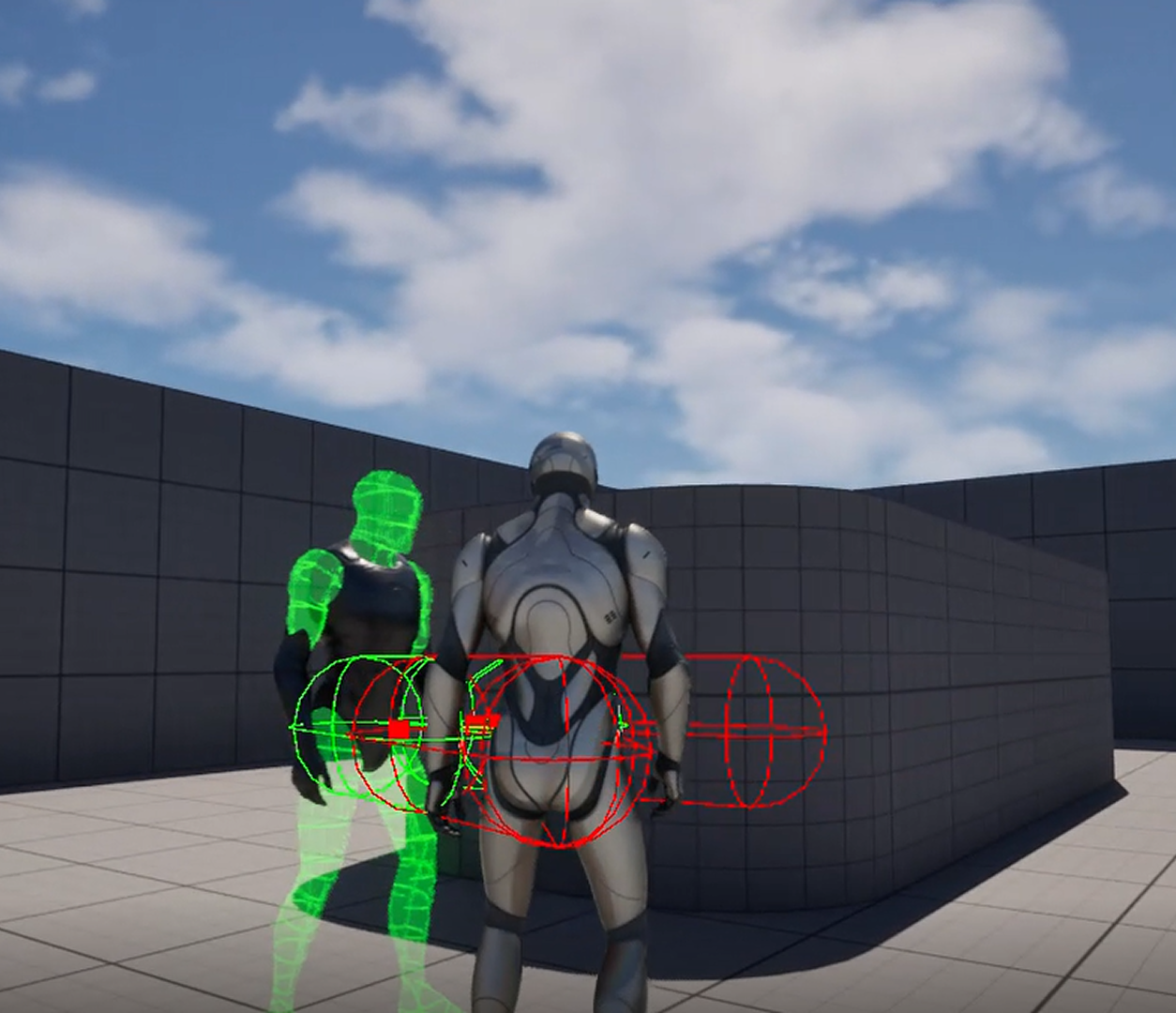
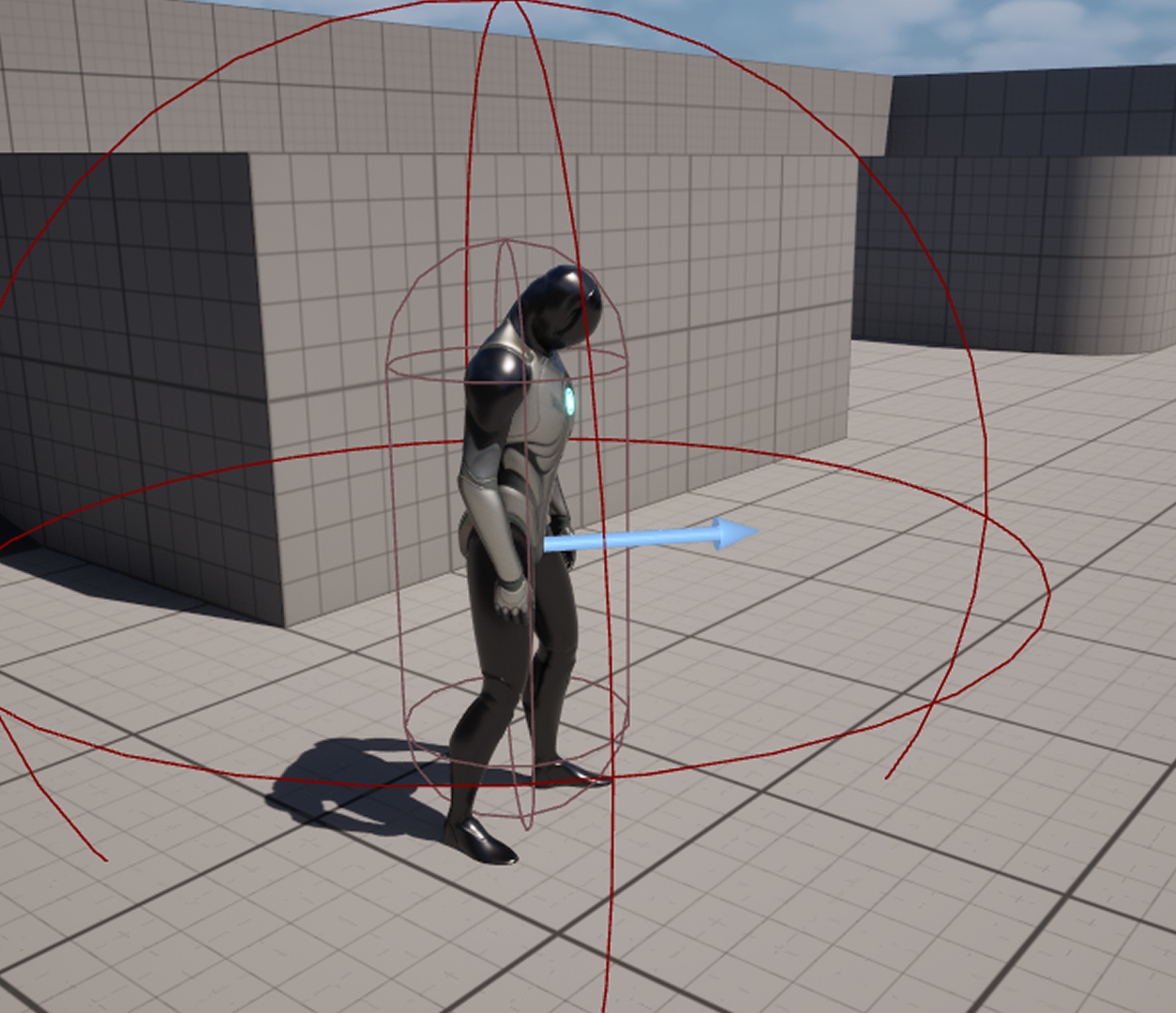
      Issue #1: Sphere Triggers not linking (Not picking up player hitting the enemy)<br>
      Solution: Modifying the radius, creating an array for the pawns on the map.<br>
      <br>
      Issue #2:  Damage amount and type returning as none<br>
      Solution: Unresolved<br>
      <br>
      I followed that by reviewing the video once again and leveraging ChatGPT for guidance. <br>
      <br>
      Due to time constraints, I wanted to continue the action research cycle for the system going for the next project by doing a guided step-by-step process with ChatGPT, as well as, look through Unreal Engine forums as there was a lack of videos that showed a similar approach.
      <br>
      <a href='https://youtu.be/o3uFXnNxwKE?si=1j_J14li3aM4z1_J' target='_blank'><p>Tutorial Video</p></a>
      To make the game feel more lively, I wanted to add a feature that enables the NPCs to move their heads to follow the players movements.<br>
      <br>
      However, I kept running into issues as the head would update its position but stay locked or it not moving at all.<br>
      <br>
      Despite viewing more tutorials, looking through the steps of the tutorial again and understanding each step deeper using ChatGPT, I was not able to fix the head follow. <br>
      <br>
      Due to time constraints, I plan to follow some alternatives to get the desired results in Project 3.
      <a href='https://www.youtube.com/watch?v=8skq8t_Fffk' target='_blank'><p>Tutorial Video 1</p></a>
      <a href='https://www.youtube.com/watch?v=u1-2HdZNU2U' target='_blank'><p>Tutorial Video 2</p></a>
      From Project 1, I was able to create a sensing system that causes the enemy to follow and attack the player if they are in their Field of Vision. However, I ran into an issue of not having the relevant animation montages.<br>
      <br>
      Using the montages from RamsterZ Free Anims, I was able to get the enemy look like it is actually attacking the player instead of just T-posing
      <a href='https://youtu.be/xlX1qDtW5_M' target='_blank'><p>Animations Demo Video</p></a> Further Development:<br>
      <br>
      Incorporate new weapons<br>
      Create stylized cloud effects<br>
      Improve the damage system<br>
      Add player attack animations for combat<br>
      Implement an inventory system<br>
      Redesign the dialogue boxes<br>
      Add meaningful dialogue interactions<br>
      Integrate all content into the map<br>
      <br>
      <a href='https://youtu.be/O1x7USYaOVg' target='_blank'><p>Final Demo Video</p></a>

Project 2


Prototype Research and Development

This is the Final Demo of our Project 2. It combines the assets which the three of us has been doing together. We gained insights on the intigration process and also decided that our Unreal file manager will be Andrew. At the end, we will be iterating with his version of the Unreal project and assist in the process of combining the files together.

Our next steps include fixing some technical issues and improving the overall quality of the game. Some of our considerations indlude, but not limitied to:

×

Powered by w3.css